Master Rolls & Inks
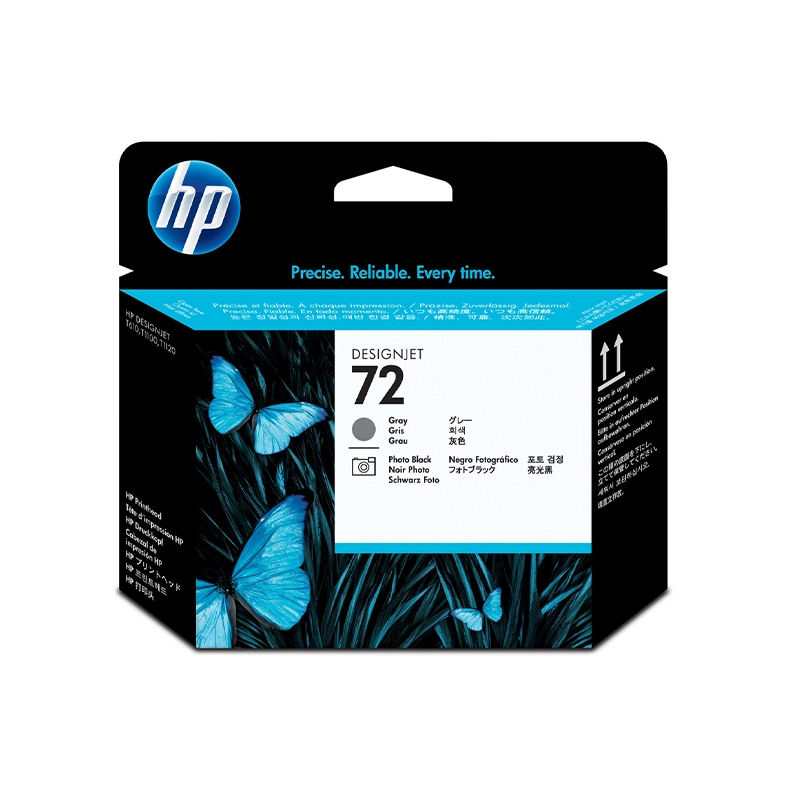
HP 72 Gray | Photo Black Designjet Printhead, C9380A
KSh 15,000
Description
The HP 72 Gray and Photo Black DesignJet Printhead (C9380A) is an essential hardware replacement designed to maintain the impeccable detail and smooth greyscale transitions of your HP large-format plotter. Responsible for precisely firing microscopic drops of gray and photo black ink, this genuine printhead ensures your architectural renders, CAD drawings, and high-resolution photographs are output without banding or missing lines. Replacing a worn printhead instantly restores your plotter to peak performance.
Compatible printers
- HP DesignJet T610 Printer series
- HP DesignJet T620 Printer series
- HP DesignJet T770 Printer series
- HP DesignJet T790 ePrinter series
- HP DesignJet T795 ePrinter series
- HP DesignJet T1100 Printer series
- HP DesignJet T1120 Printer series
- HP DesignJet T1200 Printer series
- HP DesignJet T1300 ePrinter series
- HP DesignJet T2300 eMultifunction Printer series
If your model isn't listed, send us the number from the front of the machine and we'll confirm before you pay.
Specifications
| Page yield | Cartridge type | Colour | Capacity | Part number | Genuine or compatible |
|---|---|---|---|---|---|
| N/A | Printhead | Gray & Photo Black | Standard | C9380A | Genuine |
Genuine or compatible?
This is a genuine, Original HP printhead in a factory-sealed box. Because this part contains hundreds of microscopic nozzles and interfaces directly with the printer's logic board, we strongly advise against using refurbished or third-party printheads. Genuine HP ensures optimal line sharpness, smooth gradients, and protects your DesignJet from electrical faults.
Why buy from Trinatech
- Reliable stock held right here in Nairobi CBD.
- Delivery across Kenya including Kisumu, Nakuru, Eldoret and Mombasa.
- M-Pesa and bank transfer accepted securely.
- Easy WhatsApp ordering, or walk-in at The One Mall River Road.
Getting the most from this cartridge
- Always keep the printhead in its protective packaging until your plotter specifically prompts you to replace the old unit. Avoid touching the copper electrical contacts or the nozzles on the bottom. To prevent premature wear on your new printhead, avoid using expired ink cartridges and ensure your plotting environment is relatively dust-free.
Frequently asked questions
- Does this include the ink cartridges? No, this product is the printhead only. The gray and photo black HP 72 inks must be purchased separately.
- Do I need to replace all three printheads at once? No, you only need to replace the specific printhead that the machine indicates has failed.
- What is the delivery time? We offer same-day delivery in Nairobi CBD, and next-day dispatch countrywide.
- What is your warranty or returns policy? We honour the standard HP warranty for factory-sealed, genuine hardware.
- Why are my prints still banded after replacing the ink? Banding is usually caused by a worn or clogged printhead, not the ink cartridge itself.