Master Rolls & Inks
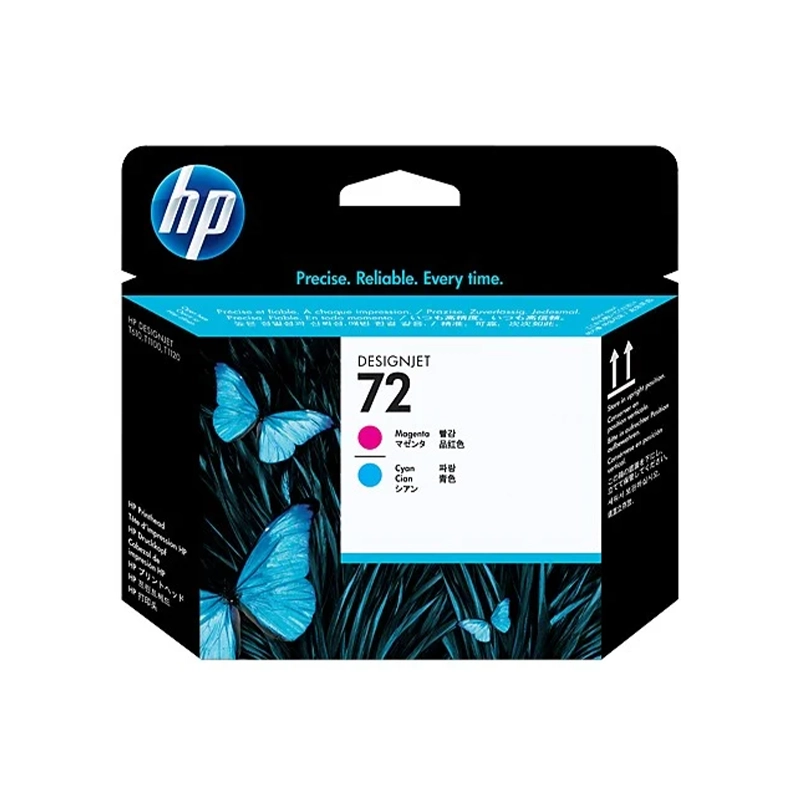
HP 72 Design Jet Printehead Magnta | Cyan, C9383A
KSh 15,000
Description
The HP 72 Magenta and Cyan DesignJet Printhead (C9383A) is a vital replacement part designed to restore your HP large-format printer to factory-fresh printing condition. Over years of heavy CAD printing and graphic output, printheads can eventually wear out or become permanently clogged; this genuine replacement snaps easily into the carriage to solve streaking, banding, or missing magenta and cyan colours. It is an essential purchase to ensure your architectural plans and GIS maps continue to print with pinpoint accuracy.
Compatible printers
- HP DesignJet T610 Printer series
- HP DesignJet T620 Printer series
- HP DesignJet T770 Printer series
- HP DesignJet T790 ePrinter series
- HP DesignJet T795 ePrinter series
- HP DesignJet T1100 Printer series
- HP DesignJet T1120 Printer series
- HP DesignJet T1200 Printer series
- HP DesignJet T1300 ePrinter series
- HP DesignJet T2300 eMultifunction Printer series
If your model isn't listed, send us the number from the front of the machine and we'll confirm before you pay.
Specifications
| Page yield | Cartridge type | Colour | Capacity | Part number | Genuine or compatible |
|---|---|---|---|---|---|
| N/A | Printhead | Magenta & Cyan | Standard | C9383A | Genuine |
Genuine or compatible?
This is a 100% genuine, Original HP printhead. Because the printhead is a highly precise piece of hardware that interfaces directly with your expensive plotter's electronics, we only supply genuine HP replacement parts for this component. Using genuine ensures flawless drop placement, correct colour mixing, and protects your machine from electrical shorts.
Why buy from Trinatech
- Locally held stock in Nairobi CBD.
- Delivery across Kenya including Kisumu, Nakuru, Eldoret and Mombasa.
- M-Pesa and bank transfer accepted securely.
- WhatsApp ordering available, walk-in at The One Mall River Road.
Getting the most from this cartridge
- To maximize the lifespan of your new printhead, always ensure your DesignJet's ink cartridges never run completely dry. Turn the plotter off using its own power button rather than a wall switch, so the printheads have time to park and cap themselves against drying out. Run a printhead alignment from your plotter's menu immediately after installation to ensure perfect line accuracy.
Frequently asked questions
- Does this include the ink cartridges? No, this is just the hardware printhead. The HP 72 ink cartridges are sold separately.
- How long does a printhead last? Lifespan depends entirely on print volume, but they typically last through several sets of ink cartridges.
- What is the delivery time? Same-day for Nairobi CBD; expect next-day delivery for other regions in Kenya.
- What is your warranty or returns policy? Genuine HP printheads carry a manufacturer warranty against electronic failure.
- Is it easy to install? Yes, lift the carriage latch, remove the old printhead, and drop the new one securely into the corresponding slot.