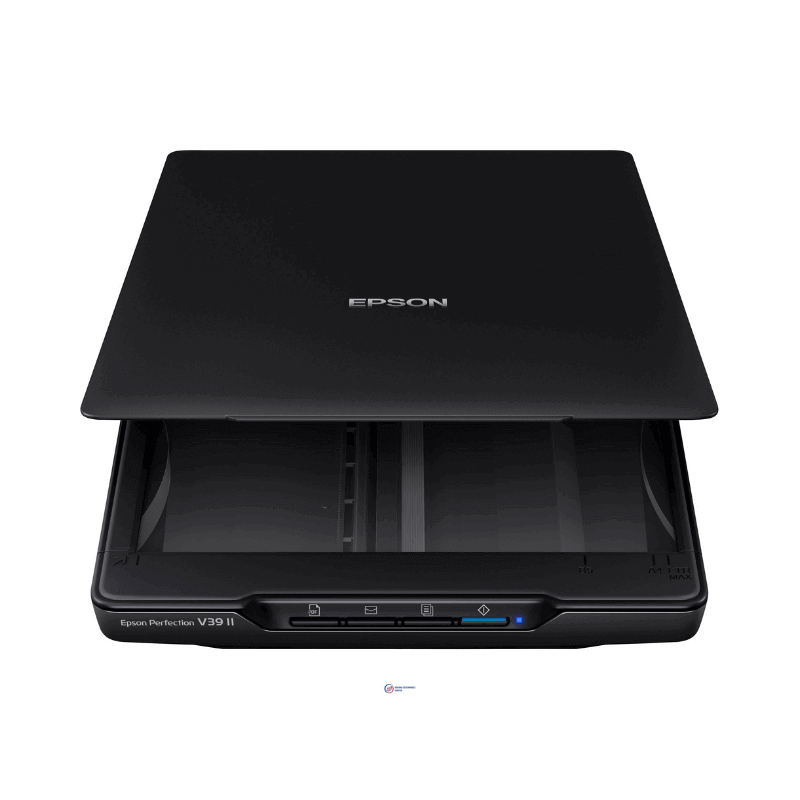
Description
The Epson Perfection V39 is a compact A4 flatbed scanner with 4,800 dpi optical resolution that draws all its power from the USB cable — no adapter, no second plug. The high resolution makes it a photo scanner as much as a document scanner: at 4,800 dpi you can scan an old print and enlarge it without the result falling apart.
What it works with
It connects over USB to Windows and Mac computers using Epson's bundled software, which handles scan-to-PDF, scan-to-email, colour restoration for faded photographs, dust removal, and OCR for turning scanned pages into editable text. Four buttons on the front cover the common jobs without opening any software first.
Two design details do real work. The lid is removable and high-rise, so you can lay a book or photo album flat on the glass and scan a page without damaging the spine. And there is a built-in kickstand, so the scanner stands upright when not in use — genuinely useful on a crowded desk.
It scans up to A4 or Letter. There is no automatic document feeder; pages go on the glass one at a time. If you need to scan large stacks routinely, ask us about a feeder-equipped document scanner instead.
Specifications
| Field | Value |
|---|---|
| Scanner type | Flatbed, Contact Image Sensor (CIS) |
| Optical resolution | 4,800 x 4,800 dpi |
| Colour bit depth | 48-bit input / 24-bit output |
| Grayscale bit depth | 16-bit input / 8-bit output |
| Maximum scan area | A4 / Letter, 216 x 297 mm |
| Scan speed | Approx. 10 seconds A4 colour at 300 dpi; approx. 30 seconds at 600 dpi |
| Light source | Three-colour RGB LEDs, no warm-up time |
| Interface | USB, powered by USB |
| Buttons | 4 (PDF, Send, Copy, Start) |
| Features | Removable high-rise lid, built-in kickstand |
Who this is for
Offices, studios, schools and home users who want document scanning and photo scanning from one machine. If your work is purely documents, a lower-resolution scanner will serve you just as well and you need not pay for the extra dpi; if you have boxes of family photographs or artwork to digitise, this is where the resolution earns its money.
Why buy from Trinatech
- Stock held in Nairobi CBD — walk in and collect.
- Delivery across Kenya including Kisumu, Nakuru, Eldoret and Mombasa.
- M-Pesa and bank transfer accepted.
- Order over WhatsApp, or visit The One Mall, River Road.
Getting the most from this scanner
Scan documents at 300 dpi and photographs you intend to enlarge at 1,200 dpi or above. Scanning ordinary paperwork at 4,800 dpi produces enormous files, takes thirty times as long, and shows you nothing extra. Clean the glass with a dry microfibre cloth before an important job — dust is the usual cause of what looks like a scanner fault. Because it runs on USB power alone, plug it straight into the computer rather than through a hub, or scans may fail partway. Use the PDF button for multi-page documents so pages land in one file.
Frequently asked questions
- Does it need a power adapter? No — it runs on USB power alone.
- Can it scan books? Yes. The lid lifts off and sits high, so a book lies flat on the glass.
- Can it restore faded photos? Yes, with the bundled colour restoration software.
- Does it work on a Mac? Yes. Download the current driver from Epson's support site for your macOS version.
- Do you deliver outside Nairobi? Yes — Kisumu, Nakuru, Eldoret, Mombasa and countrywide.